Learning education technology as a future UVic BEd teacher

Category: Blog Posts

Blog 8 – Emerging Technologies

Emerging technologies such as artificial intelligence, virtual reality, and augmented reality are transforming education today by creating interactive learning experiences. I remember my first year of university; there was talk about ChatGPT, and I had never heard of it. When I asked what it is, I got many answers: “it’s like Google but better,” “it can do anything you ask it,” “it’s cheating.” When I first explored it, I was fascinated by how quickly AI like ChatGPT could deliver answers to your questions. I thought that, as a future teacher, this could be beneficial for creating lesson plans. As my Bachelor of Education – Elementary Curriculum continued, I realized that AI is great for ideas, but the personalization and accuracy of information still faced some challenges. I think it’s important to teach students how to use AI responsibly. 

Artificial Intelligence (AI) in Open Learning

3D OpenAI logo on a tiled teal surface with an abstract wireframe brain made of connected spheres floating above it.
Photo by stem.T4L on Unsplash

In the research article, Artificial Intelligence Use to Empower the Implementation of OER and the UNESCO OER Recommendation, Talks about the detailed benefits, key challenges, and practical uses related to AI (Ossiannilsson et al., 2024). In the article, they discuss the strengths of AI in open education, such as saving time and effort, fostering creativity and collaboration, while also providing access to quality education. Open education can use AI to improve accessibility, personalize learning, and create more engaging, interactive learning experiences for students. However, there are some limitations to AI use, particularly the need for editing text. AI should be examined critically for copyright errors, as well as spelling and grammar mistakes. I’ve had instances where ChatGPT makes something up; it’s important to do your own work and use ChatGPT as an editing tool or for ideas. After all, AI is a robot.

Virtual Reality (VR) in Open Learning
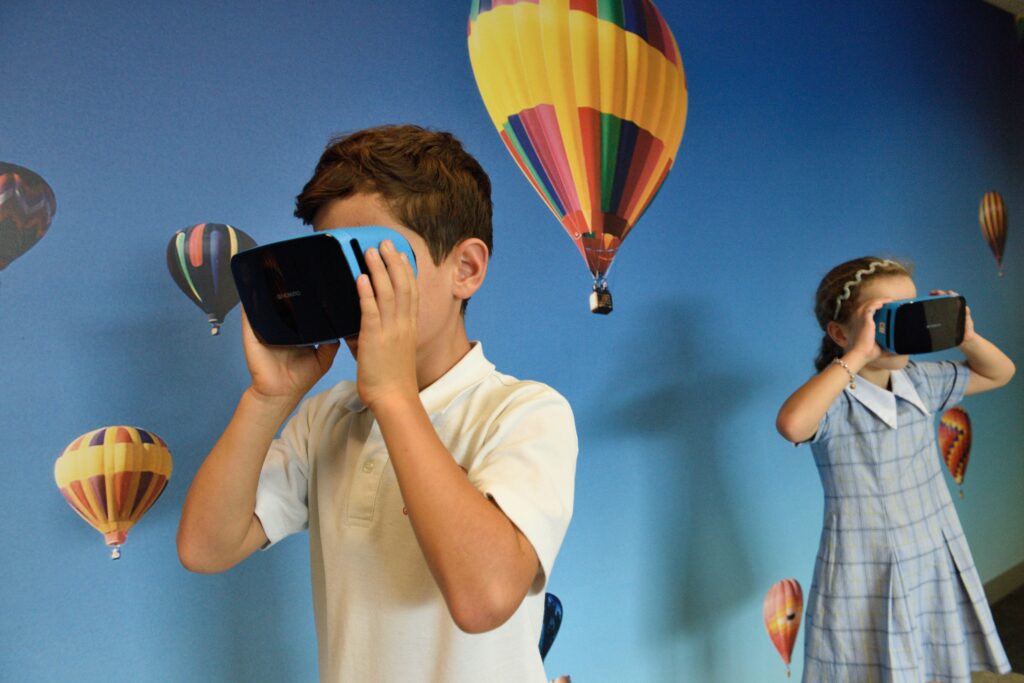
Boy using VR glasses.
Photo by stem.T4L on Unsplash

In this article, “Co-Creating Virtual Reality as Open Educational Resources: An Inquiry-Based Thinking Approach,” looks at the TalkTech 2022 project, where students from the U.S. and Romania worked together online in international teams. Students co-creating virtual reality scenarios as open educational resources, using a five-step inquiry model based on constructivist Learning to help address students’ difficulties and support active participation. The conclusion of the project, based on their work, shows that students’ digital competencies increased through the use of collaborative tools to communicate and learn, and through VR to demonstrate their coding abilities. 

I found a news article called Elementary school students use virtual reality to learn about Indigenous culture about students in Kamloops, BC, using virtual reality to learn more about truth and reconciliation and Indigenous culture. I think this creative, visual approach can help students better understand the content, especially visual learners. This brings the story to life, making it engaging and fun.

Connecting AI and VR to my Free Inquiry Project

Connecting this to my free inquiry on Minecraft Education, I can see how these emerging technologies fit together. Like the VR project, Minecraft Education is a digital game-based world where students can co-create, explore, and solve problems in a shared space. Minecraft worlds can also be shared as open resources, making it easier for teachers to reuse and adapt activities. In addition, Minecraft Education uses AI to support teachers with tools like an AI-powered lesson generator and AI-focused training.

References

Ciarpelletti, L. (2018, November 22). Elementary school students use virtual reality to learn about Indigenous culture. CBC News. https://www.cbc.ca/news/canada/british-columbia/elementary-school-students-use-virtual-reality-to-learn-about-indigenous-culture-1.4917182

Ebba Ossiannilsson, Rosa Leonor Ulloa Cazarez, Claire Goode, Chadia Mansour, & Cristine Martins Gomes De Gusmao. (2024). Artificial intelligence use to empower the implementation of OER and the UNESCO OER recommendation. Open Praxis, 16(2), 137–157.

Frydenberg, M., & Andone, D. (2023). Co-Creating Virtual Reality as Open Educational Resources: An Inquiry-Based Thinking Approach. Proceedings (IEEE International Conference on Advanced Learning Technologies), 14–18. https://doi.org/10.1109/ICALT58122.2023.00010
Blog 7: MOOCS Massive Open Online Courses

What is a MOOC?

Online Courses as follows: a massive audience of students, open to anyone, consisting of individual online courses (Commonwealth of Learning, 2015).

Dr. Tony Bates discusses Massive Open Online Courses in detail in his YouTube video. He talks about the purpose of MOOCs, the type of MOOC and their strengths and weaknesses. 

In this video, the Dr.Tony Bates explains what MOOCs are and some of the benefits and limitations of this large-scale online learning format.

Dr.Tony Bates breaks it down into two types of MOOC:

  1. xMOOCs (behaviourist) mainly recorded university lectures on content creation. Some examples are Coursera, EdX, and FutureLearn. They are made by universities and licensed to use. 
  2. cMOOCs (connectivist) are communities of practice with lectures but without content presentations. Created with the knowledge and experience of the people in the learning community.

Learning with XMOOCs: Udemy

Most MOOCs are not credible for use in institutions; they are designed for continuing education. I used xMOOc for Udemy in the past to learn about digital marketing during COVID when I wanted to create a website and learn how to market my website / Gemstore bracelet small business. The course is called “ The Complete Digital Marketing Course -12 courses in 1.” I was laid off during COVID; I worked at the Fairmont Banff Springs, and during that time I learned many new skills. xMOOc was beneficial to me because it was cost-effective and I could still learn the same skills as I would in a face-to-face paid course. I will say it was more challenging to learn on my own and remotely, but it was the most I’ve ever learned by figuring it out myself. Udemy offers a Udemy certificate, but it can’t be used for university credit. I used the certificate as a motivator to finish. 

Advantages of MOOC

  • High-quality content
  • Free of low-cost options
  • Great for continued learning
  • Scalable to very large audiences

Disadvantages of MOOC

  • Lower completion rates
  • Expensive and time-consuming to create
  • Lack of initiation credit
  • Copyright restrictions. 

Linking to my Free Inquiry Project

Thinking of my free inquiry project on digital game-based learning in the classroom. I came across Minecraft Education,where they have a MOOC called Minecraft Teacher Academy, where teachers learn how to integrate Minecraft into the curriculum.

 References

Commonwealth of Learning. (2015, May 26). Massive open online courses (MOOCs) [Video]. YouTube.https://www.youtube.com/watch?v=o6E_iIav52s

Minecraft Education. (n.d.). Training for educators. Microsoft. https://education.minecraft.net/en-us/resources/training-for-educators?utm_source=chatgpt.com

Blog 6: Communities in Online Learning

In my EDCI 338 course, I learned that a Personal Learning Network (PLN) is a group of people you connect with often online to share resources, tools, and ideas so you can keep learning over time (Green, 2020; Oddone, 2019)

Some example that I use as my PLN are:

  • #TeachersofTiKtok on Tiktok or instagram.
  • Subreddits, where I like to use for unfilled raw answers or support.
  • Blogs/ websites
  • Facebook groups
  • Podcasts

I really value the bite-sized format, like posts, short reels, and TikToks, because they are fast and easy to fit into my day. This aligns with research on microlearning and short-form social media videos that highlight how brief, focused content can support engagement and ongoing learning (Alsaid, 2025). Even though let’s be honest, those TikToks and reels are addictive, these small pieces of content often appear during my elementary education program at UVIC or my practicum placements. For example, I’ve used ideas from these for PE lesson plan inspiration in my PE Uvic course. I enjoy being part of a community with like-minded individuals. 

Challenges of PLN

At the same time, there are challenges: algorithms can create echo chambers that reinforce biased opinions, and comment sections can include harmful or misleading content, so I need to be critical and intentional about what I consume and share on these platforms (Greenhow et al., 2022; Williams, 2024).

References

Alsaid, B., Al-Bitar, A., Mousa, L., Al-Mardini, H., Almaradni, M. M., Alhomsi, H., Al-Masalma, D., & Izzat, M. B. (2025). Short Social Media Videos as a Supplementary Educational Resource in Neuroanatomy: A Nonrandomized Clinical Trial. JAMA Network Open, 8(9), e2533971. https://doi.org/10.1001/jamanetworkopen.2025.33971

Asino, T., Bayeck, R., Brown, W., Francis, R. W., Kolski, T., Essmiller, K., Green, C. L., Lewis, S. L., McCabe, C., Shikongo, J., Wise, T., & Fulgencio, J. (2020). Learning in the Digital Age (T. Asino, Ed.). Oklahoma State University.

Blog 5: Indigenous Education and Online Learning

In this blog, I explore my learning about Indigenous Education and online learning, inspired by Dr. Jean-Paul Restoule’s keynote on Indigenous-centred online course design.

Indigenous-Centred Online Learning

In an online course, students can revisit resources, explore topics in greater depth, and connect what they learn to their own lives. Dr. Jean-Paul shared how the Medicine Wheel (mind, body, spirit, emotion) can guide course design so that learning is holistic, not just intellectual (Restoule, n.d.)

One example that stood out to me was inviting students to mark a dot on a world map showing a place that is special to them. This simple activity can open the door to deeper conversations, stories, and relationships in an online space.

The 5 Rs of Indigenous Education

Dr. Jean-Paul Restoule developed the 5Rs model to help us think about why and how to integrate Indigenous pedagogies into an online classroom (Learning Design & Digital Innovation, n.d.)

The 5Rs:

  1. Relationship
  2. Respect
  3. Responsibility
  4. Relevance
  5. Reciprocity

I chose to focus more deeply on Responsibility.

For me, responsibility means:

  • Designing learning goals that include cultural safety and decolonial awareness.
  • Checking in with students about their responsibilities as learners, and as future leaders and elders in their communities.
  • Taking time to reflect on and unlearn my own colonial assumptions so I can design learning experiences that are more respectful and inclusive.

As a future teacher, I plan to use the 5R as a tool to help guide my online and face to face classes.

References

Learning Design & Digital Innovation. (n.d.). The 5Rs model. The University of British Columbia. https://lddi.educ.ubc.ca/integrating-indigenous-pedagogies-into-online-learning/5rs/

Restoule, J.-P. (n.d.). Indigenous-centred online course design [Keynote video]. Department of Indigenous Education, University of Victoria. https://drive.google.com/file/d/1gb_IjgCnq1PoxpU0ffGLRde3hNB7Vr_-/view

Blog 4: Online Learning Theories & Grand Challenges for Research

In EDCI 339, we explored Online Learning Theories, Grand Challenges for Research, Indigenous-centered Online Course Design.

Connectivism

A laptop with words on it that say Join Us Online.
Photo by Samantha Borges on Unsplash

In our lecture, Valerie discussed Tony Bates textbook Teaching in a Digital Age and his explanation of connectivism. Bates (2019) describes connectivism as the idea that knowledge resides in networks, not just in individuals, and that learning is about finding, connecting to, and moving through those networks effectively. As a future teacher, I believe connectivism is important for helping students build their own learning networks both in and beyond the classroom. I want to teach my students how to find resources and build their critical thinking skills, helping them become lifelong learners.

Grand Challenges Facing Online Learning

From the keynote with Dr. Tom Reeves, professor from the University of Georgia. After reviewing these keynotes, here are my final thoughts on challenges facing online learning.

Covid Impact on Online Learning

A student during COVID-19 watching a graduation ceremony from a laptop connected to a TV.

Dr. Tom Reeves’ keynote highlighted the long-term impact of COVID. Recent reports show that pandemic-related school closures led to significant learning losses and increased absenteeism, especially for students already facing social and economic disadvantages (Kuhfeld et al., 2022).I’m in a remote course now, and I can see how younger kids could struggle with motivation and focus. I personally procrastinate on work when I’m not in a class setting, where I have social pressure from friends and teachers

Photo by Mohammad Shahhosseini on Unsplash

Teacher Burnout in Digital Spaces

Another problem Dr. Tom Reeves mentioned is teacher burnout. Online teaching can mean extra prep and constant emailing; messaging and pressure to be available. As a future teacher, I want to have a balance and not let technology interfere with my family time.

The teacher at his desk is heading down with a pencil, marking.

Photo by Jeswin Thomas on Unsplash

Challenges from AI in Education

ChatGPT Artificial Intelligence website home screen.

AI, such as ChatGPT, is becoming a problem; it’s everywhere, even in Google search results.  I think CHATGPT can be used responsibly and offer benefits. But when students use it to answer all their questions, it raises concerns about their problem-solving skills.  

Photo by Levart_Photographer on Unsplash

Reference

Bates, A. W. (Tony). (2015). Teaching in a Digital Age : Guidelines for designing teaching and learning for a digital age (2nd Edition). BCcampus.

Kuhfeld, M., Soland, J., Tarasawa, B., Johnson, A., Ruzek, E., & Liu, J. (2022). COVID-19’s impact on learning and strategies for catch-up. Brookings Institution. https://coilink.org/20.500.12592/kv8kz9

Reeves, T. C. (2025, May 29). [Keynote on grand challenges in online learning] [Video]. Google Drive. https://drive.google.com/file/d/1OoTWCCrzc9XroWz2c5t7IN955-BQSMQd/view

Reeves, T. C., Herrington, J., & Oliver, R. (2005). Design research : a socially responsible approach to instructional technology research in higher education. Journal of Computing in Higher Education, 16(2), 96–115. https://doi.org/10.1007/BF02961476

Blog 3: Foundations of Online & Open Education

Teacher at desk on her computer
Photo by Vitaly Gariev on Unsplash

In week 3 in EDCI 339, we explored the foundations of online and open education, focusing on what makes digital learning effective and inclusive.

The Digital Learning Framework

One of the key readings was the Digital Learning Framework created by Dr. Valerie Irvine and Dr. George Veletsianos for the BC Government. The framework was written during the early stages of the pandemic and outlined how BC could strengthen digital learning for the future.

It explained the importance of strong leadership, collaboration across institutions, and additional training for educators to teach online with confidence. It also highlighted the need to make digital learning accessible for everyone, including students in rural areas or those who need flexible options. One of the main takeaways was that many experienced “emergency remote teaching,” not authentic online learning. Real online education should be designed to promote inclusion, flexibility, and accessibility from the start.

Equity and Design in Learning

This reading helped me understand how design and equity are central to effective online learning. Moving lessons online is not enough; educators must also consider how to engage all students and create meaningful learning experiences across different formats.

I also noticed how the framework connects to what we’re doing in this course. Forming pods to support each other’s inquiries reminded me of the framework’s emphasis on collaboration and community. It shows that learning online can still be social and relational when designed thoughtfully.

Computer screen with visuals screen of everyone on zoom call.
Photo by Chris Montgomery on Unsplash

Reflection and Future Application

After reflecting on this week’s learning, I want to bring these ideas into my future teaching. My goal is to design lessons that give students different ways to participate and show what they know, while making sure all learners feel supported and included.

As I start working with my pod on my Free Inquiry Project about game-based learning, these ideas will guide me in exploring how digital tools can boost engagement and inclusion in online spaces. 

Week 2 Blog: Data Privacy, Consent and Copyright

Lock on computer with credit cards.
Photo by Towfiqu barbhuiya on Unsplash

Understanding FIPPA and PIPA

The course blog also introduced Freedom of Information and Protection of Privacy (FIPPA) and Freedom of Information and Protection of Privacy Act (PIPA), reminding me that privacy isn’t just a policy issue but an ethical responsibility. As teachers, we should clearly explain what data is being used, why, and give students meaningful choices.

Creative Common Licensing

We also explored Creative Commons licensing, which is a non-profit organization that provides CC licenses and public domain tools to give every person and organization a way around copyright permission for creative and academic work.

How to Make a Good Blog Post?

After reading post,  What Makes a Good Blog Post, I focused on how to implement this into my own blog posts. focused on adding hyperlinks, embedding visuals, and writing with a personal, authentic voice to make my posts engaging and accessible.

Photo by Fikret tozak on Unsplash

From Learner to Teacher

As I move toward Assignment #1, I’ll keep these lessons in mind, designing with privacy, consent, and openness in mind while creating online learning content.

Looking ahead to my future classroom, I can see myself teaching students how to protect their digital identities and recognize credible sources online. I would do this by implementing Creative Commons resources and encouraging students to license their own creations.

Week 1: Learning in the Open

Blogging concept with man
Designed by Freepik

Introduction

Hello, my name is Kathryn Gullackson. I am in my third year of Bachelor of Education – Elementary Curriculum at UVIC. I am taking this course alongside my degree to work towards my TQS category 5 for a salary increase. I really want to explore technology tools used in the classroom and online to help students learn. This week helped me understand what it truly means to learn and teach in an open and connected way. The course website, blogs, and shared reflections all demonstrate how learning can occur in an online space.

Learning About Open Education

Reading the articles by Graham and Roberts (2019) and Irvine et al. (2022) made me realize how much thought goes into creating open learning environments. The Open Hub Model illustrates how a central hub, like a course blog, can connect students’ individual blogs and help them build confidence before engaging with wider online networks. The Multi-Section Open Course Design article explained how this type of openness also allows instructors to share resources, collaborate, and ensure course content can be accessed after the course semester.

Key Takeaways

Open learning isn’t just about using technology. For me, it’s about building a community and creating a safe space where people feel comfortable sharing what they know. In open spaces like a class blog, students can express their ideas, document their learning, and share their work with others.

Looking Ahead

In the future, I want to continue exploring what openness means for me as a learner and future educator. I want to include blogs, open resources, and shared digital spaces to make learning more creative and inclusive in my classroom.  My practicum teacher uses an online website that is from her district to post updates, communicate with parents on a weeklybasis, and send reminders. But as a teacher, I think it’s important to understand and be cautious about what you post, given the wise audience and the potential for students to see your online content. I think it’s important to be careful about what you post and to adjust privacy settings. I am glad we are diving deeper into security next week.