For my final EDCI 339 Free Inquiry post, I want to bring everything together in a way that is useful for busy classroom teachers. Instead of writing another long post, I decided to create a short YouTube screencast that walks teachers through three different game-based learning tools and shows how they can be used for both engagement and formative assessment.
Over the past few weeks, I explored research on game-based learning, looked at different platforms, and reflected on the challenges and opportunities of using games in real classrooms. This final screencast is my way of sharing what I learned in a teacher-friendly format.
Screencast: Three Game-Based Tools for Teachers
Game-Based Learning for Teachers: Using Wayground, IXL, and Minecraft Education for Engagement and Formative Assessment
In this video, I briefly walk through three platforms:
how it might fit into everyday classroom practice, and
how the built-in data and reports can be used as formative assessment, not just as a game score.
My goal was to keep the video short, practical, and realistic, from a future teacher that does not have a technology background.
Next Steps as a Future Teacher
Going forward, I’d like to:
Try Wayground in my future practicum in April.
Use IXL math in my future practicum as additional help/ work.
I want to complete Minecraft Education’s Teacher Academy and schedule a meeting with a teacher to see how they implement the game in their classroom.
This inquiry has taught me a lot; at times I felt overwhelmed by all the different resources out there. But I believe the only way you’ll know if they work is if you try them in your class first.
To update you on my free inquiry project about game-based learning, I am in the process of creating a screencast that provides a quick review from a teacher’s perspective on how to use Wayground, Minecraft Education, and IXL. I chose these three game-based learning tools because they are all quite different and offer unique benefits to teachers. Here is a review of what I learned so far.
Wayground
I found that Wayground is easy to set up and learn. You just click on pre-made lessons and assign homework or create a live host, similar to Kahoot, for quick assessments during lessons. I like Kahoot, but I also appreciate that Wayground provides features such as quizzes, presentations, interactive videos, passages, worksheets, and flashcards that can be assigned to students or used during lessons. They have all the subjects to choose from, which can be filtered by grade. For customization, teachers can make their own resources from their own content and add assessment tools such as quizzes. I also discovered there is a grading, reports, and data section where teachers can automatically or manually set custom grades and generate shared reports.
Minecraft Education
With Minecraft Education, I found it intimidating because I see it as a complex gaming system I am not familiar with. However, I wanted to explore something outside my comfort zone and learn more. The one thing I learned about Minecraft Education is that it’s not a quick assessment tool; teachers need to do the work by completing the Minecraft Teacher Academy to learn the essential skills for how to incorporate gameplay into any curriculum. I downloaded the game and played around without the training, and without training, I don’t understand how it works. So I learned it’s important to invest the time as a teacher and then as students to get the game started. But once the training and learning of the basics are done, I see the benefits.
IXL Math
I learned that IXL has a BC Curriculum tab for math, science, and English, organized by the different BC learning standards. This is important because these standards are what we use as teachers to plan instruction and assess students. Instead of always going back to the BC Curriculum website to customize lessons to the standards, teachers can save time by clicking directly on a learning standard in IXL. It then links to practice questions, examples, and sometimes videos. Students can answer questions, and if they get one wrong, the program explains the correct answer. This tool could be handy for extra practice.
Reflection
Overall, with proper training, any of these game-based learning tools can be used effectively in elementary and middle school settings. Like any new technology, they can bring some fear of change and resistance at first. I noticed this in myself when I first started exploring Minecraft Education. However, once teachers have time to explore and get comfortable with these tools, that resistance usually decreases and the benefits become more apparent.
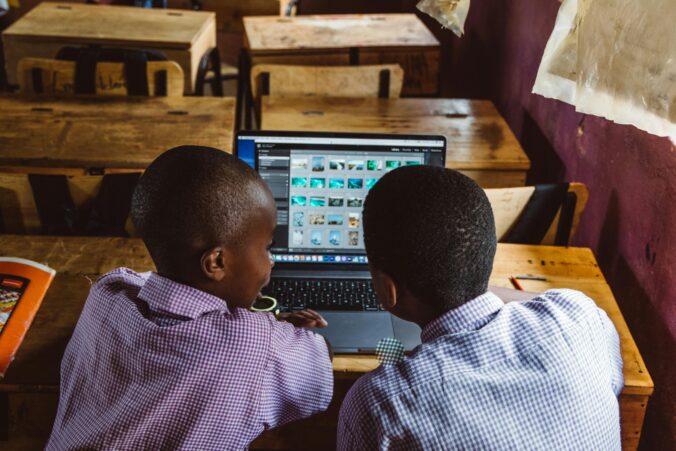
Students using classroom devices to play learning games Photo by Roman Odintsov via Pixels
This week, I continued exploring how classroom teachers can use game-based learning in practical ways. My goal is to examine game-based learning from a teacher’s perspective: How can teachers actually use specific digital game-based tools in classrooms?
I tried to reach out to teachers by email to hear about their experiences with game-based learning, but I have not received any replies yet (my personal email may have gone to spam). However, I met with Valerie on Zoom and she shared several resources and contacts. Based on her suggestions and my own research, I decided to look more closely at three game-based tools that teachers can use: Wayground (formerly Quizizz), Minecraft Education, and IXL Math games.
Wayground (formerly Quizizz)
For this stage of my inquiry, I explored Wayground (formerly Quizizz), a gamified learning platform where teachers can create or adapt quizzes, lessons, interactive videos, passages, and flashcards. Students can use game features such as live “gameshow-style” sessions and leaderboards similar to Kahoot.
Search the Wayground Library for ready-made resources that match grade and topic. Can filter results by Assessments, Lessons, Interactive Videos, Passages, or Flashcards, and then either use them as-is, assign them as homework, or copy and edit them to fit your class.
Instead of building every game from scratch, teachers can adapt existing resources, quickly set up game-style activities, and use the built-in data (scores, responses) as formative assessment to see where students are with their learning.
Video Spotlight : Wayground Interactive Lessons
I watched a brief Wayground tutorial demonstrating how to incorporate interactive lessons and presentations in the classroom. It guides users through creating a lesson, inserting various question types, and utilizing features such as student pacing and live presentation mode to make lessons engaging and game-like.
Wayground Tutorial: Free Interactive Lessons and Presentations: This video shows teachers how to use Wayground (formerly Quizizz) to create free, interactive presentations with built-in questions, polls, and game-like features that keep students engaged.
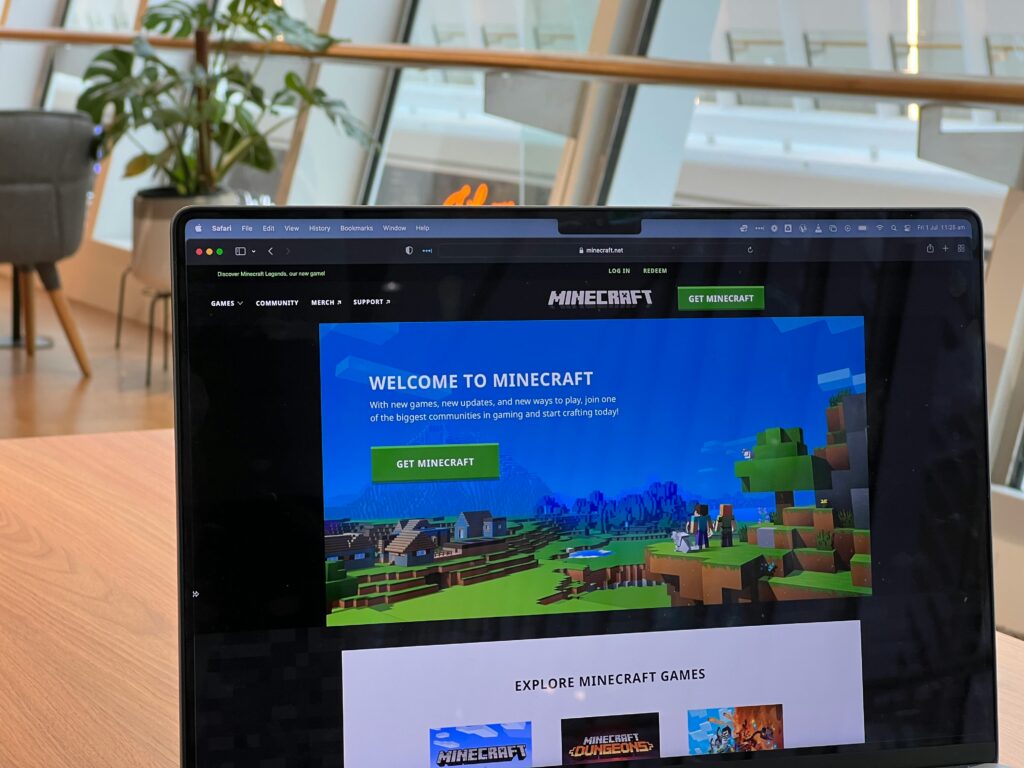
Minecraft Education is a game-based learning platform where students explore and build in a block-based world while working on curriculum topics such as math, science, social studies, coding, and design (Minecraft Education, 2025). Minecraft is popular among kids, so why not implement it into the classroom and let them play and learn at the same time! I want to learn more about this platform and hopefully observe or volunteer in a class that uses it in the future.
How to Get Started on Minecraft Education as a Teacher
One thing I like about this platform is its teacher training. There are learning modules called Learn to Play for the basics of the game, and Lesson Crafter an AI-powered lesson generator. I love that the training is designed for all levels of comfort with technology and walks teachers through how to implement Minecraft Education in the classroom step by step.
Video Spotlight Getting Started with Minecraft Education
I watched a video titled ‘How to Get Started Teaching With Minecraft Education, ‘ which guides teachers on downloading the app, signing in with a school account, and using tutorial worlds to introduce students to basic controls. It also shows how to select a curriculum-aligned lesson world and establish clear learning objectives. This helped me understand how teachers can transition from viewing Minecraft as just a fun game to using it as a structured, game-based learning tool, planned and assessed like any other lesson.
Steps on how to implement Minecraft Education in a classroom setting.
I found many research articles on the benefits of math-focused game-based learning, which led me to explore IXL Mathgames. I have already looked at Wayground as a competitive group game and Minecraft Education as an individual/world-based game, so I wanted to examine a math-specific tool as well. IXL Math offers a collection of online math games and practice activities organized by grade level (K–12). Students answer questions, earn points, and receive immediate feedback. This platform can be used both in the classroom and at home to reinforce specific math skills.
Create a free IXL account as a teacher or through the district
Choose grade or topic
Assign games through IXL to the class
Share a code or QR code with students to access games.
What does the teacher see?
In IXL, teachers can assign specific math skills to their class and then monitor progress through dashboards and reports. The live class view lets teachers see which skills students are working on in real time and how accurate they are, while skill and student reports show SmartScores, errors, and time on task. This makes IXL not only a game-based practice tool, but also a source of formative assessment data for planning next steps in instruction (IXL Learning, n.d.).
Video Spotlight: Assigning and Monitoring in IXL
I watched short IXL teacher videos such as Assigning Skills and Skill plans in IXL and IXL Analytics, which show how to choose specific math skills, assign them to a class, and then monitor students’ SmartScores and progress in real time (IXL Learning, n.d.). These videos can be helpful for teachers to incorporate into the classroom and use as a formative assessment tool in math.
Exploring Game-Based Learning: Research Findings, Insights, and Reflections
This week, I began exploring my inquiry topic more deeply by reviewing several peer-reviewed articles and educator resources about game-based learning. One source was Game-Based Learning: Pros, Cons & Implementation Tips for Educators (Jordan Nisbety, 2023.), which linked to multiple research studies and reports that expanded my understanding of how teachers use games in classrooms and the challenges they face.
Key Research
Gives some great research articles that I explored further:
The Level Up Learningsurvey (Games and Learning Publishing Council, 2014) collected data from 694 K–8 teachers across the United States to examine how digital games are used in instruction.
74% of K–8 teachers use digital games for instruction.
55% allow students to play educational games at least weekly.
71% of teachers report that digital games improve students’ mathematical learning.
43% use built-in assessment systems that come with certain games.
72% of teachers access games using desktop or laptop computers.
The most common tools mentioned wereStarfall, Coolmath, and PBS Kids.
Recommendations from the Research
Create a shared framework for classifying and evaluating educational games by grade, subject, price, and curriculum alignment.
Increase awareness of flexible integration methods, such as short-form games or flipped-classroom approaches.
Invest in innovative classroom models that balance engagement, curriculum goals, and learning outcomes.
Provide universal technology training for teachers.
Develop and promote online training resources for teachers on digital games and how to implement into the classroom.
Conduct and share ongoing research with educators and policymakers to improve practice.
Benfits of Game Based Learning
Encourages critical thinking and problem solving
Increases student engagement and motivation
Improves situational and experiential learning
Supports diverse learning with interactive and visual methods
Drawback of Game Based Learning
The cost of software.
Can be a distraction, especially with less supervision and a higher risk of students going off task.
Requires more time for setup and training for teachers and students
Technical problems such as slow connection speeds or blocked websites.
Game-Based Learning Tool
Some game based learning tools I would like to further explore are:
Minecraft Education
Wayground
IXL
Discussion with Mentor Teacher
I reached out to past mentor teachers to ask if they use digital-based learning in their classrooms and their thoughts and opinions on the topic. I have not received an email back but will provide an update once I receive more information.
Reflection
After further research into digital game-based learning, I want to include more game-based activities in my future classroom. Studies demonstrate the effectiveness of game-based learning in boosting student engagement and learning outcomes. Before introducing any game, I would spend time practicing and exploring the tool myself to ensure it matches my grade level, learning objectives, and classroom needs.
Bragg, L. A. (2012). The effect of mathematical games on on-task behaviours in the primary classroom. Mathematics Education Research Journal, 24(4), 385–401. https://doi.org/10.1007/s13394-012-0045-4
Pratama, L. D., & Setyaningrum, W. (2018). Game-based learning: The effects on student cognitive and affective aspects. Journal of Physics: Conference Series, 1097, 012123. https://doi.org/10.1088/1742-6596/1097/1/012123
Takeuchi, L. M., & Vaala, S. (2014). Level up learning: A national survey on teaching with digital games. Joan Ganz Cooney Center at Sesame Workshop.
Exploring Game-Based Learning: Can Play Improve Online Education?
I chose this topic because, as a learner, I am motivated and engaged when there are competitions and games involved. I find I learn naturally when it’s in a game format. One example that comes to mind is Kahoot, a fun interactive game the class can participate in while learning at the same time. I wanted to explore whether game-based learning can improve academic outcomes in an online setting.
My initial questions I came up with:
Does game-based learning improve academics?
How do game-based learning tools help students stay motivated?
Can games help students remember new information for longer?
How can we create fun online games that are also educational?
How can teachers use games in synchronous and asynchronous classes?
Which game-based learning tools work best for elementary students?
Starting my Research
I plan to begin researching game-based learning by doing the following:
Search for online articles about game-based learning, such as the UVIC database.
Ask a teacher about their experiences using game-based tools in the classroom.
Have discussions with my inquiry group about their personal experiences with game-based learning, either as students or in their own teaching practice.
These upcoming steps will help me refine my inquiry questions by conducting research and reflecting on the topic.